ProductsHow It WorksThe StudioThe Orchestrator
EnterpriseOverviewIntelligenceWho It's ForSecurityIT Governance
Pricing
ResourcesNewsAboutFAQ
Get in touch
Documents
PDF, DOCX, XLSX, PPTX — read, write, convert
Agents need to read a contract, extract data from a spreadsheet, or generate a report. The Documents extension processes files locally. No cloud upload, no third-party API, no file contents leaving the machine.
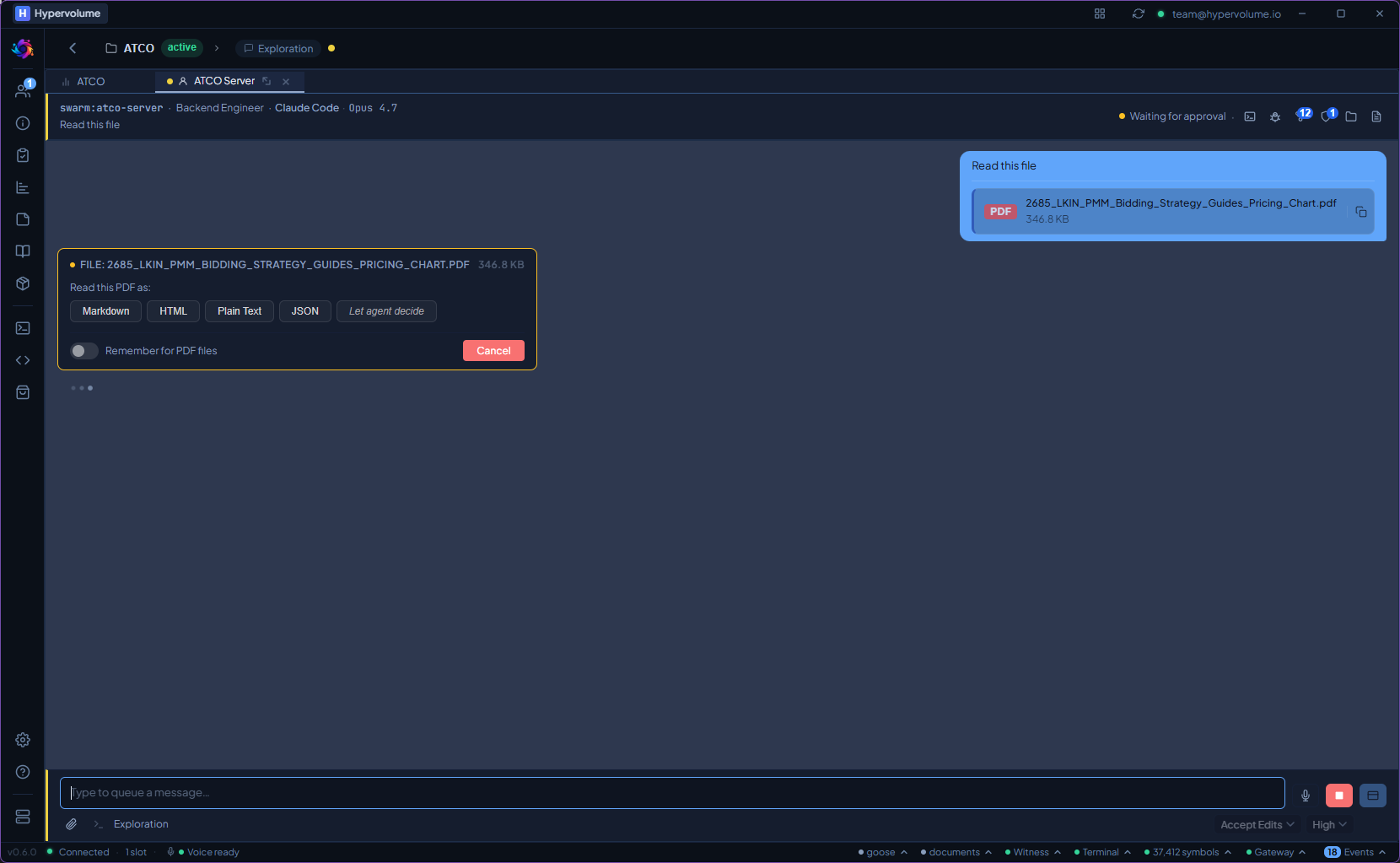
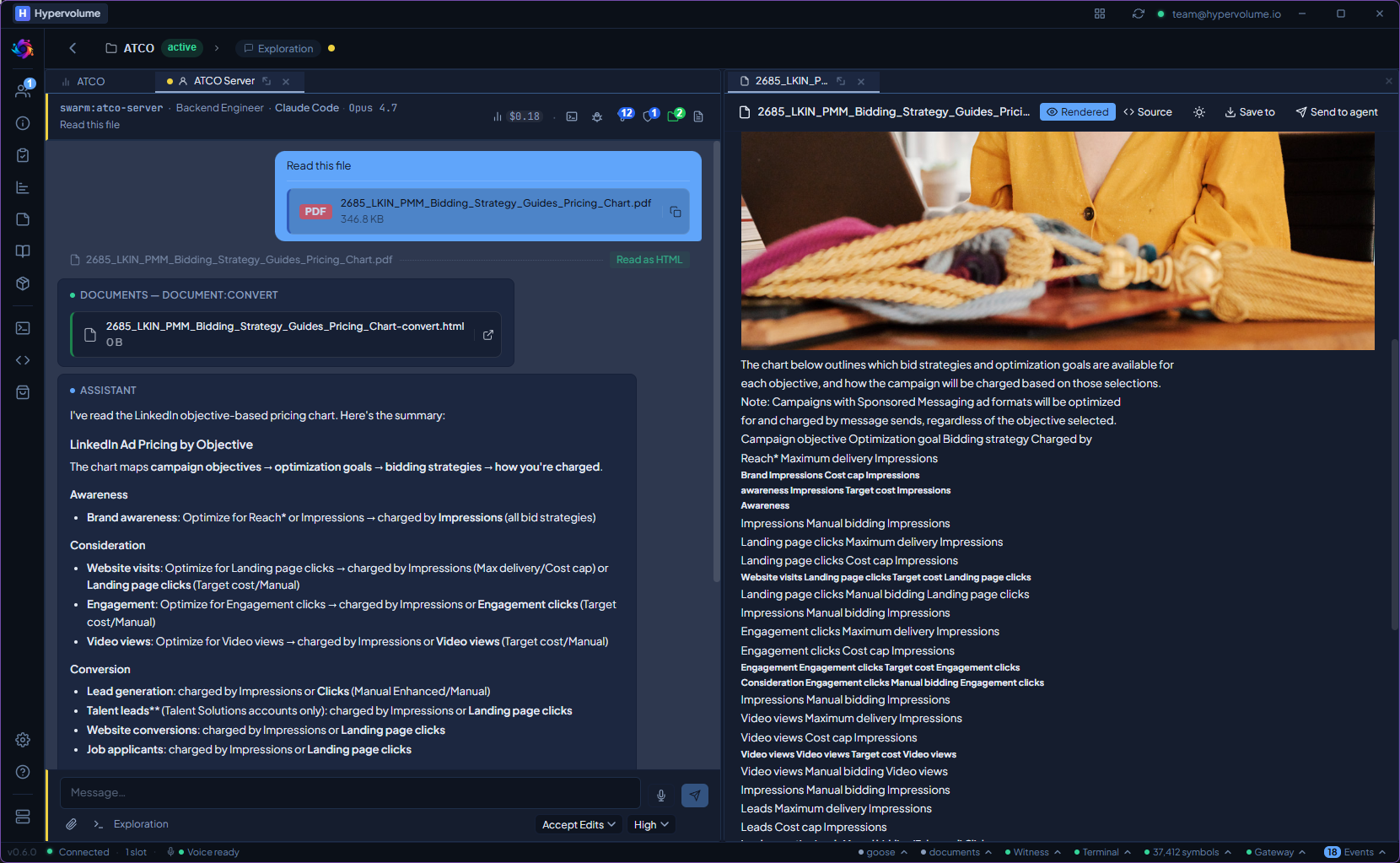
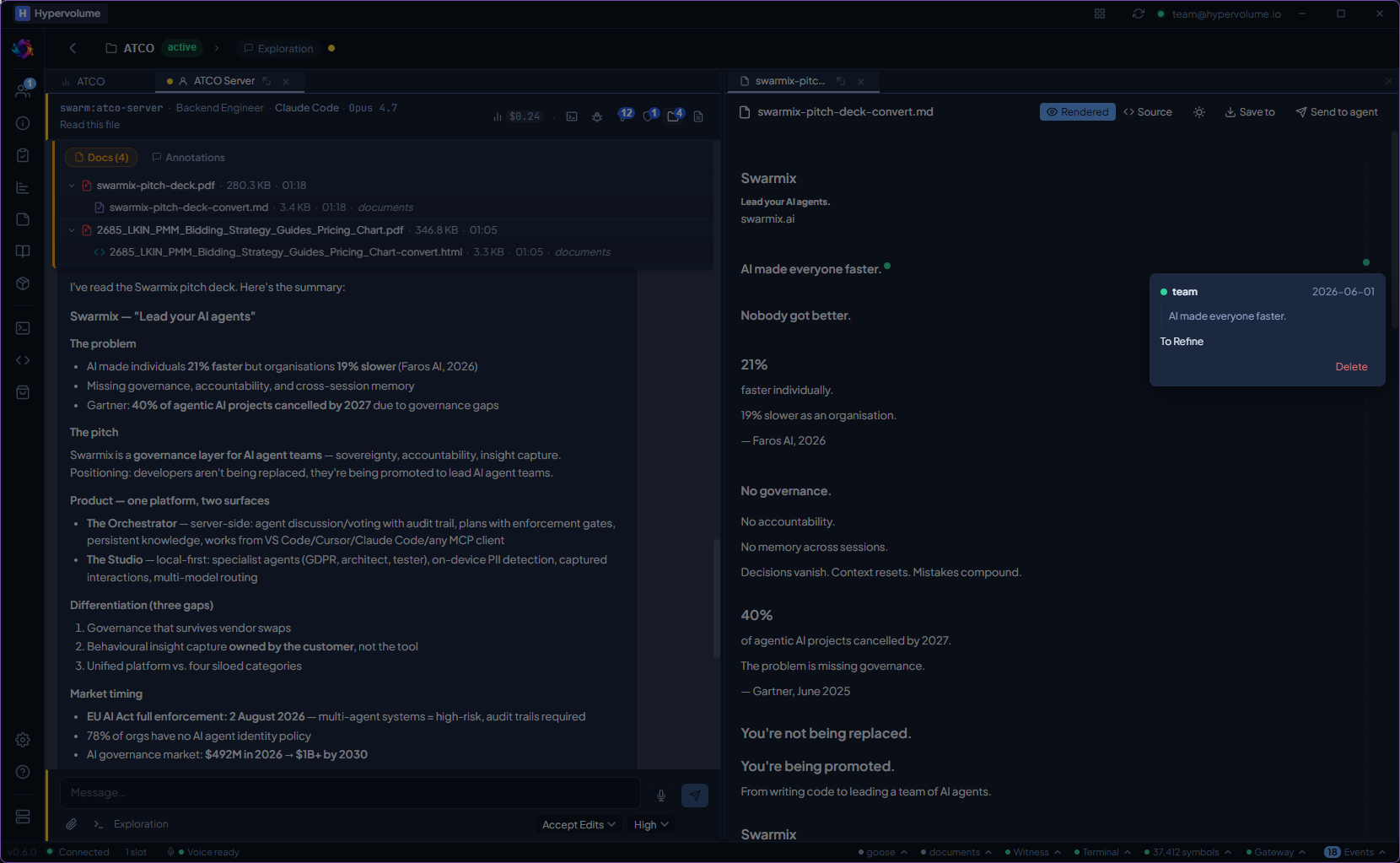
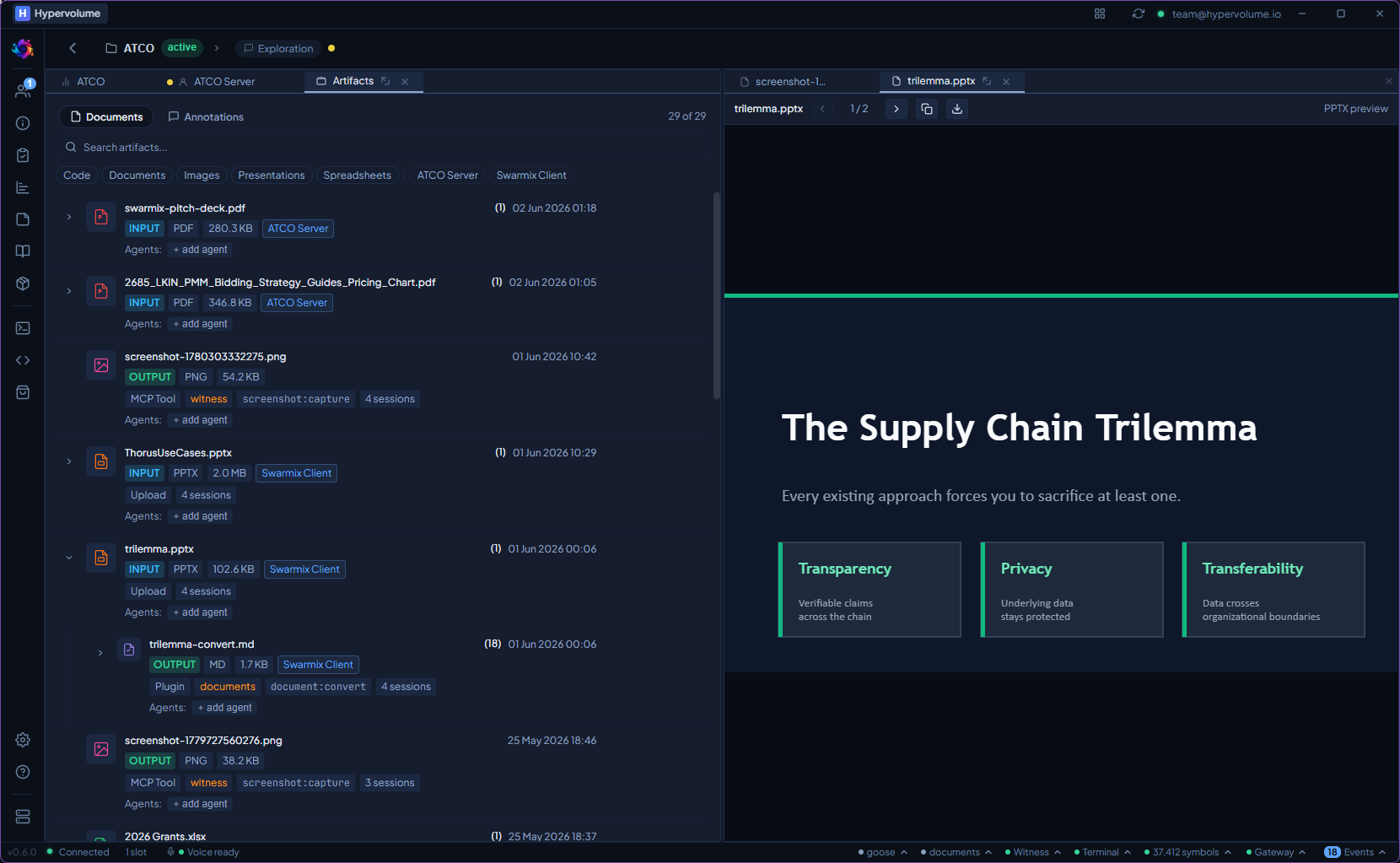
Drop any file into the chat — the plugin detects the format and converts it automatically.
What it does
PDF Processing
Extract text, tables, and structure from PDFs. Tier 1 uses local JS libraries for fast extraction. Tier 2 uses the Docling deep parsing engine for complex layouts, scanned documents, and OCR.
Word & PowerPoint
Read and write DOCX and PPTX files locally. Extract text, headings, tables, and slide content. Generate reports and presentations from agent output.
Spreadsheets
Parse XLSX files into structured data. Agents can query specific sheets, ranges, and named tables — no need to paste raw CSV into the context window.
Three Processing Tiers
Tier 1: local JS libraries (fast, lightweight). Tier 2: Docling deep parsing engine (complex layouts, OCR). Tier 3: remote Document Server (when needed). Configurable per use case.
File Drop Routing
Drop any supported file into a chat. The plugin detects the type and routes it to the right processor automatically. Results are injected as structured context.
From install to first use.
Documents stay on the device.
Tier 1 and Tier 2 process everything locally. No file contents are uploaded to any cloud service. The remote Tier 3 is opt-in.
Documents ships with the Studio. No extra install, no extra cost.